
2.36.24
Agent-pool
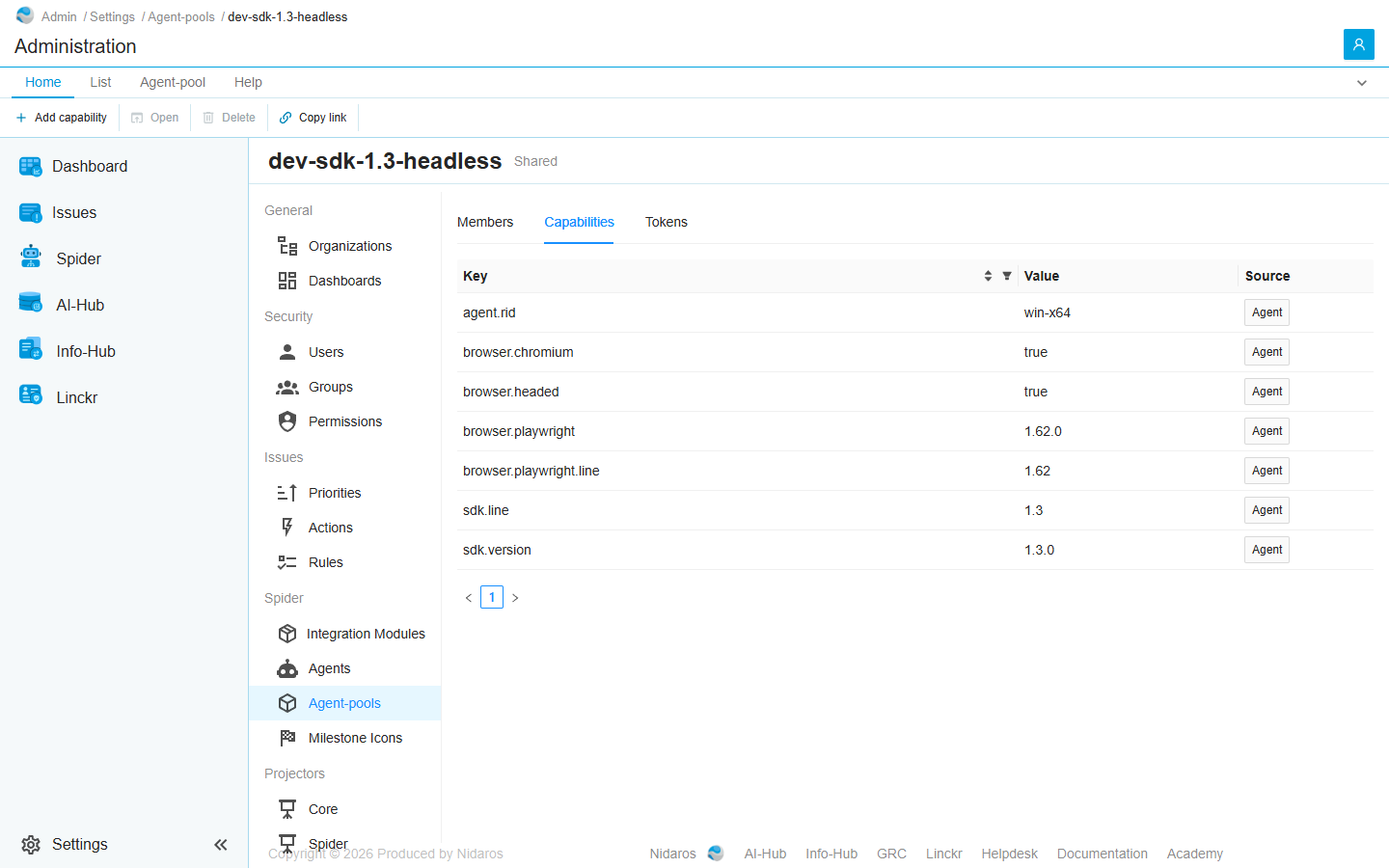
One agent-pool: the agents in it, the capabilities they share, and the tokens they register with. The page is titled with the pool's name, with its organization, or Shared, beside it. It is an organization's Agent-pool page, for any pool, with one difference: a member opens the agent's page.
How to get there
- From Agent-pools: double-click a pool, or select it and click Open.
- From an agent's page: Agent-pool on the ribbon.
Permission
The page needs what Agent-pools needs. Changing its capabilities, clearing its contract and adding a token need Add and change agent-pools; revoking a token needs Delete agent-pools. See Permissions.
Tabs
The page opens on Members. Its tabs don't show in the page's address, so a link to the page always opens on Members.
Members
The agents registered into the pool, with their Name, Status, SDK version and .NET version. Type in the Name column's filter to find one. Double-click an agent, or select it and click Open, to see its page: see Agent. An agent can't be added by hand: it registers itself, with one of the pool's tokens.
Capabilities
What the pool's agents can do, and the contract every new agent is checked against: see Capabilities. Agent rows are what the first agent reported, User rows what someone added here; every member has both.
Tokens
The tokens an agent registers into the pool with: see Tokens. A token doesn't expire. To replace one, add a second token, move the agents over to it, and revoke the first.
Commands
| Tab | Group | Command | What it does | Disabled when |
|---|---|---|---|---|
| Home, List | New | Add capability, Add token | Adds a capability (Capabilities) or a token (Tokens). | |
| Home, List | Open | Open | Opens the selected agent's page (Members), or changes the selected capability (Capabilities). | Nothing is selected, or the agents report the capability (The agent reports this capability itself: add one with the same key to override it). |
| List | Open | Open in new tab | Opens the agent's page in a new browser tab. Members only. | Nothing is selected. |
| Home, List | Manage | Delete, Revoke | Deletes the selected capability, or revokes the selected token, after asking. Capabilities and Tokens only. | Nothing is selected, the agents report the capability, or the token is revoked already (This token is already revoked). |
| Agent-pool | Capabilities | Clear contract | Clears the pool's contract, after asking. Capabilities only. | No agent has registered yet (No agent has sealed a capability contract yet). |
| Home, List | View | Refresh | Reads the list again. Members and Tokens only. | |
| Home | Share | Copy link | Copies the link to this page. |
The drawers and dialogs are an organization's: see Agent-pool. The pool itself is changed and deleted on Agent-pools.
When the pool changes elsewhere
When someone else changes the pool while you have its page open, the page shows the change. When someone deletes it, the page says so, with a link back to the list. See Changed elsewhere.
Related chapters
- Agent-pools
- Agent
- Process definition: a process's demands.