
2.36.24
Trigger run
One time a trigger fired: what it received, what it logged, and the process runs it started. When a trigger didn't start what you expected, this is where you find out why.
A trigger run runs a single activity: the trigger's own. A timer, a webhook and a form run it inside Spider, in a moment. A trigger from an integration module, such as an e-mail trigger, runs it on an agent, and can then fail, be retried and take screenshots like a process's activity.
How to get there
- From the Triggers page's Runs tab: double-click a run, or select it and click Open. See Triggers.
- Right after Start now on a trigger: Spider opens its run's page.
- From a process run that a trigger started: Go to › Parent on its page, or its Parent column in a list of runs.
A link to a run's log can name the attempt to show: the address then ends in ?view=logs&node=….
Permission
To open a trigger run you need View run on that run, or View runs for every trigger run of the organization. The page also shows the run's trigger, so you need View definitions too. Member, which everyone in the organization has, allows both.
Some views and commands need more:
| What | Permission sets that allow it |
|---|---|
| The lines of the Logs tab | Member or View triggers |
| Abort and Retry node | Resolve issues and run actions |
| Cancel node | Manage organization |
| Screenshots | View issues |
| The Permissions tab | View permissions, Manage run or Manage permissions |
Manage organization allows all of them. Commands you may not use are not shown; see Permissions.
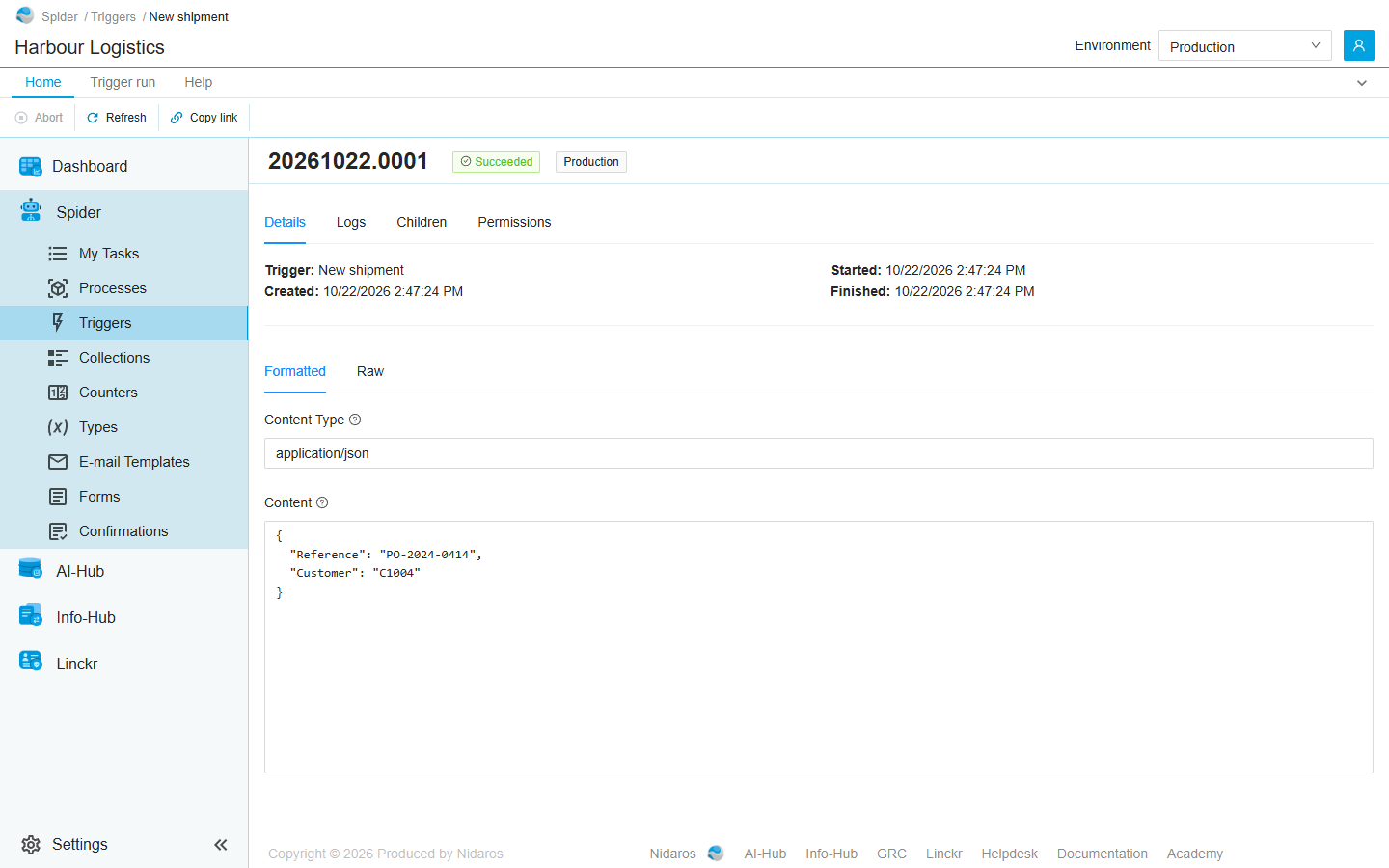
The page header
The header shows the run's reference, such as 20261022.0001, and two tags:
- The status: see Statuses.
- The environment the run ran in. It is orange for a test environment. See Environments.
The breadcrumbs show the name of the trigger.
Views
Details
The run at a glance:
- Trigger: the trigger that made the run.
- Created:, Started: and Finished:, when the run was created, started and finished.
Below them, when there are any:
- Errors and Warnings: the run's own failure messages, and the activity's log lines at that level. Click a line of the activity to open its log.
- Formatted and Raw: what was sent to the trigger, such as a webhook's body, with its Content Type. Formatted lays out JSON and XML so it is easy to read; Raw shows it exactly as it came in.
Logs
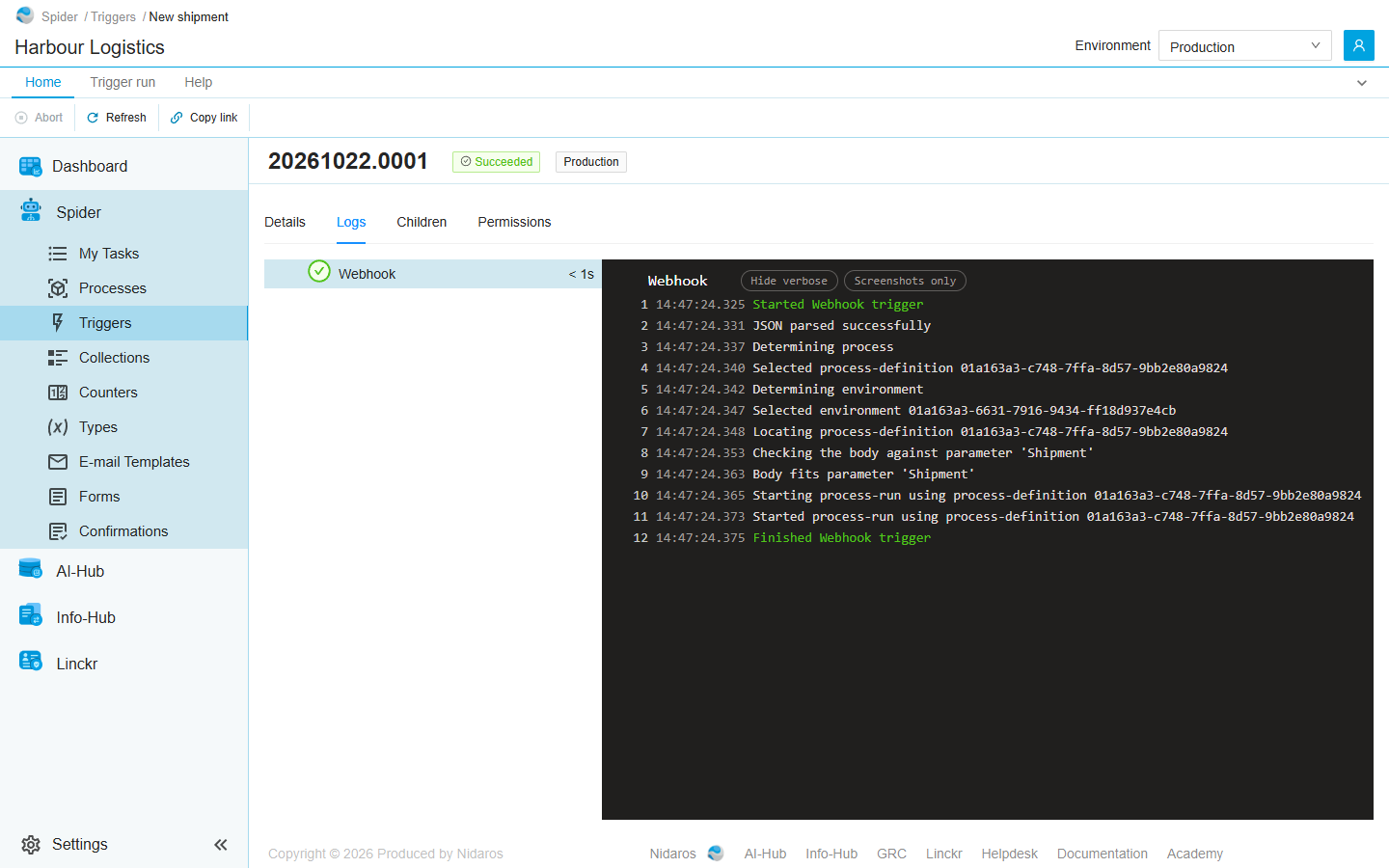
On the left, the run's activity, with its status, its name and how long it took. Once it has been retried, each attempt is listed below it (Attempt #2). Click one to show its log on the right; until you do, the page shows the latest attempt.
The log works as a process run's does, with the same colours, Hide verbose and Screenshots only: see Process run. A webhook's log says what it did with the data: whether it could read it, which process it chose, and whether the data fits the process's parameter.
For a trigger from an integration module, the ribbon's Node group acts on the activity: see Commands.
Children
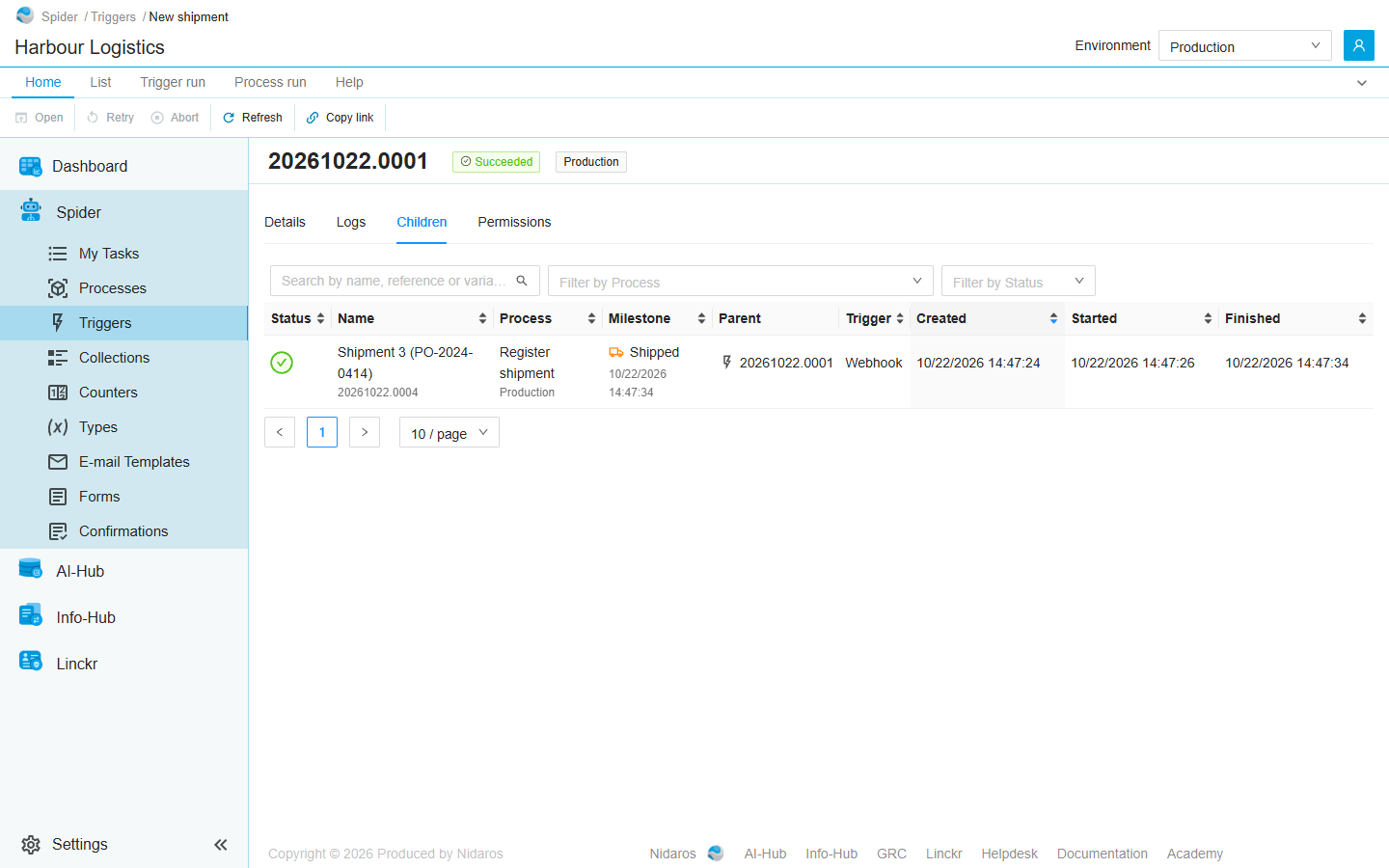
The process runs this trigger run started. The tab is there only when it started any. It works like the list of runs, and shows every child, whatever the environment selected in the header. Double-click a run to open it: see Process run.
A trigger that makes several items at once, such as e-mails, starts a run for each item it has a process for, so its run can have many children.
On this tab, the ribbon's Run commands on Home act on the selected child, not on this trigger run: Retry and Abort, with Definition and Parent on the Process run tab. This trigger run's own Abort stays on the Trigger run tab.
Permissions
Who may view and manage this trigger run: the sets View run and Manage run, each set to Allow, Deny or Not Set for a user or a group. To give them for every trigger run, use the Triggers page's Permissions tab. See Permissions.
Commands
| Tab | Group | Command | What it does | Disabled when |
|---|---|---|---|---|
| Home, Trigger run | Run | Abort | Stops the run for good. Asks you to confirm. | The run has ended already (This run has already ended). A failed run can still be aborted. |
| Trigger run | Node | Retry node | Runs the failed activity again, as a new attempt. Asks you to confirm. Logs tab only, for a trigger from an integration module. | The run and its activity have not failed (Only a failed node can be retried). |
| Trigger run | Node | Cancel node | Stops the running activity. Asks you to confirm. Logs tab only, for a trigger from an integration module. | The latest attempt isn't selected, or it is not running (Only a running node, or a failed loop iteration, can be cancelled). |
| Trigger run | Node | Screenshots | Shows the screenshots the selected attempt logged. Logs tab only, for a trigger from an integration module. | The attempt logged no screenshots (The selected node logged no screenshots). |
| Home, Trigger run | View | Refresh | Reads the run and its tabs again. | |
| Home | Share | Copy link | Copies the link to this run, or to the selected row of its list. |
While a command on the activity is still going through, the activity's commands wait, with The last command on this node is still going through.
The Children tab adds the List tab, with Open, Open in new tab and Refresh, and the Process run tab. The Permissions tab adds the Permissions tab, with Add group or user and Remove.
A trigger run has no command to open its trigger, which has no page of its own: open it from the Triggers page's All tab.
Statuses
A trigger run is always in one of these statuses:
| Status | Meaning |
|---|---|
| Todo | Made, and about to run. |
| Running | Running its activity. |
| Waiting for an agent | Waiting for an agent that can run its activity. Only a trigger from an integration module runs on an agent. |
| Succeeded | Finished as it should, and started what it had to start. |
| Failed | Stopped because its activity failed. A failed trigger run is not the end: a trigger from an integration module can retry its activity, and any failed run can be aborted. |
| Aborted | Stopped for good, by hand. |
Drawers and dialogs
Screenshots of a node
The screenshots the attempt logged, one at a time, as for a process run: see Process run.
Confirmations
- Abort Trigger-run: Are you sure you want to abort this trigger-run?
- Retry node, Cancel node: Are you sure you want to retry this node?, … cancel this node?
Click Yes to go ahead, or No.
Related chapters
- Triggers: the list of every trigger run, and the triggers themselves.
- Process run: the runs a trigger run starts.
- Live updates: how the page follows a run.
- Environments