
2.36.24
Integration Module
One version of an integration module: its details, the activities it brings, and its other versions.
How to get there
- From Integration Modules: double-click a module, or select it and click Open. That opens its latest version.
- From the module's Versions tab: open another version.
Permission
You open a module's page from the Integration Modules page, and need what that page needs. Nothing on it can be changed. See Permissions.
Views
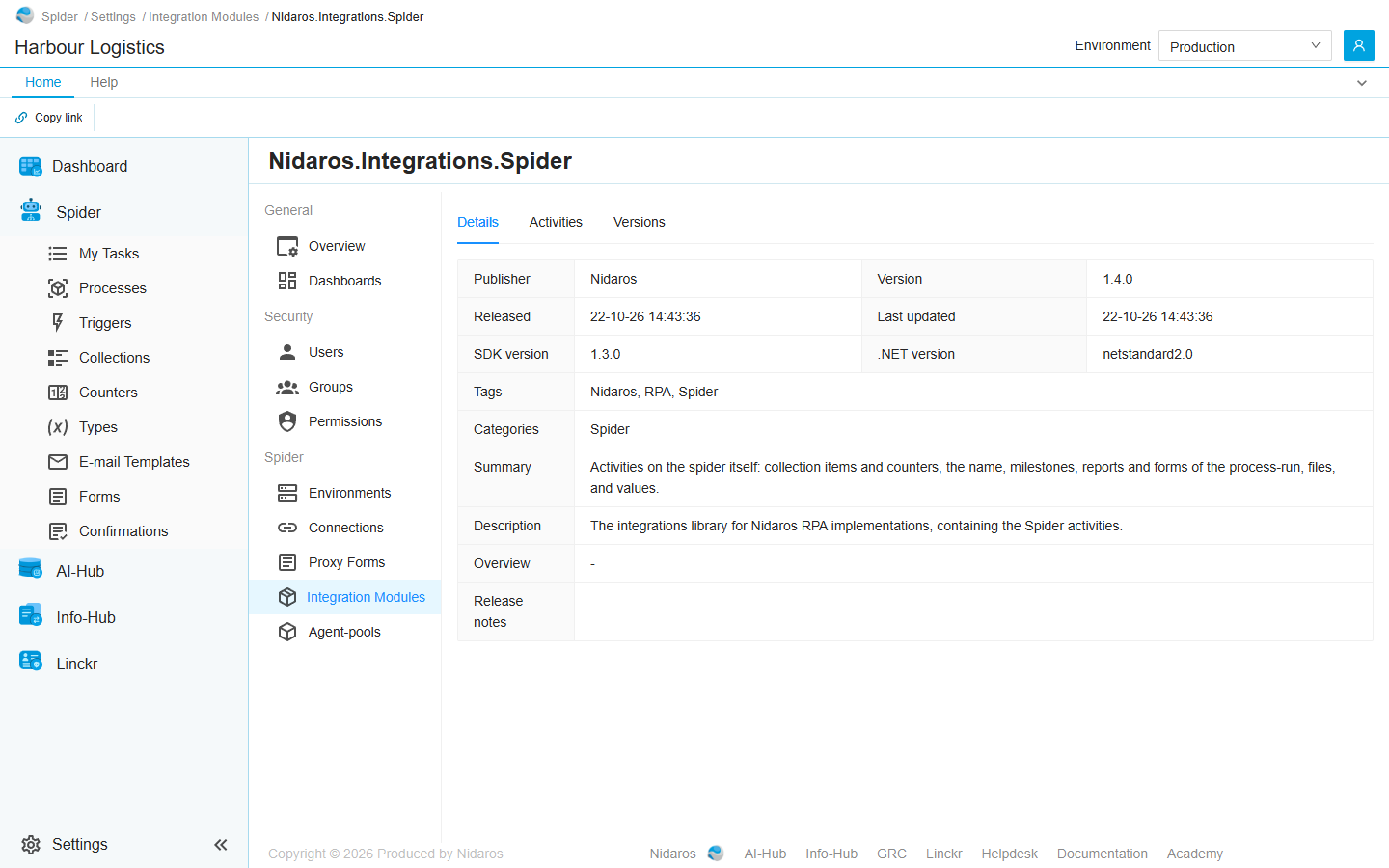
Details
What the module's publisher says about this version: Publisher, Version, Released, Last updated, SDK version, .NET version, Tags, Categories, Summary, Description, Overview and Release notes. A dash means the module doesn't say. Released and Last updated are when this version was uploaded to Spider, written day-month-year with a two-digit year: 22-10-26 is 22 October 2026.
Activities
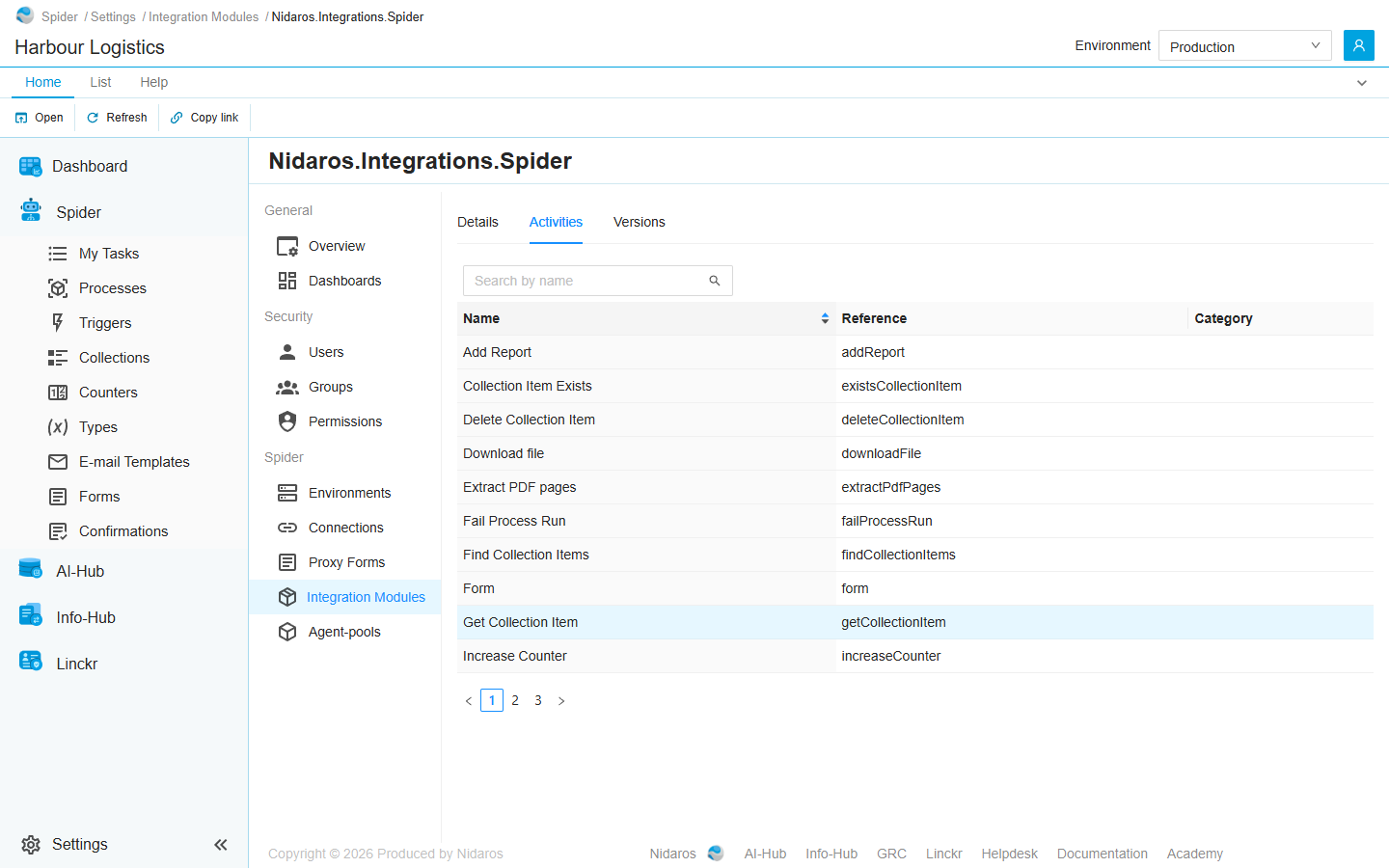
The activities of this version's major version, by Name, with their Reference and Category. Type in Search by name to find one, or click the Name header to sort.
Double-click an activity, or select it and click Open, to see its inputs and outputs:
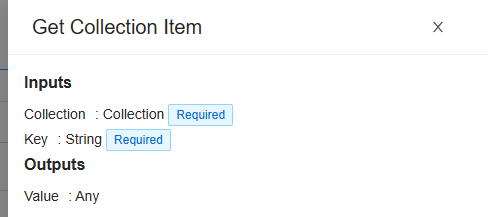
The drawer lists the activity's Inputs and Outputs, each with its type; [] after a type means a list. Required marks an input that must be filled in. An input or output of a complex type opens up into its properties. None means the activity has no inputs, or no outputs.
Versions
Every version of the module uploaded to Spider, newest first, with when it was Published. Double-click one, or select it and click Open, to see that version's page.
Commands
| Tab | Group | Command | What it does | Disabled when |
|---|---|---|---|---|
| Home, List | Open | Open | Opens the selected activity's drawer, or the selected version's page. Activities and Versions only. | Nothing is selected. |
| List | Open | Open in new tab | Opens the version in a new browser tab. Versions only. | Nothing is selected. |
| Home, List | View | Refresh | Reads the list again. Activities and Versions only. | |
| Home | Share | Copy link | Copies the link to this page, with its tab. |
A module, or one of its versions, can't be deleted. New versions are uploaded by a global administrator, in Administration.
Related chapters
- Integration Modules
- Designer: adding a module's activities to a process.