
2.36.24
Users
Everyone who has an account on this Spider server, in every organization, with the organizations they belong to. You find a user here, and invite someone into Administration.
How to get there
- From Administration's Settings: Users, in the Security group.
Permission
The page needs View users or View users and groups; Add user and Resend invite need Add and invite users. They are in the User management section of Administration's Permissions, and Full access allows them all. See Permissions.
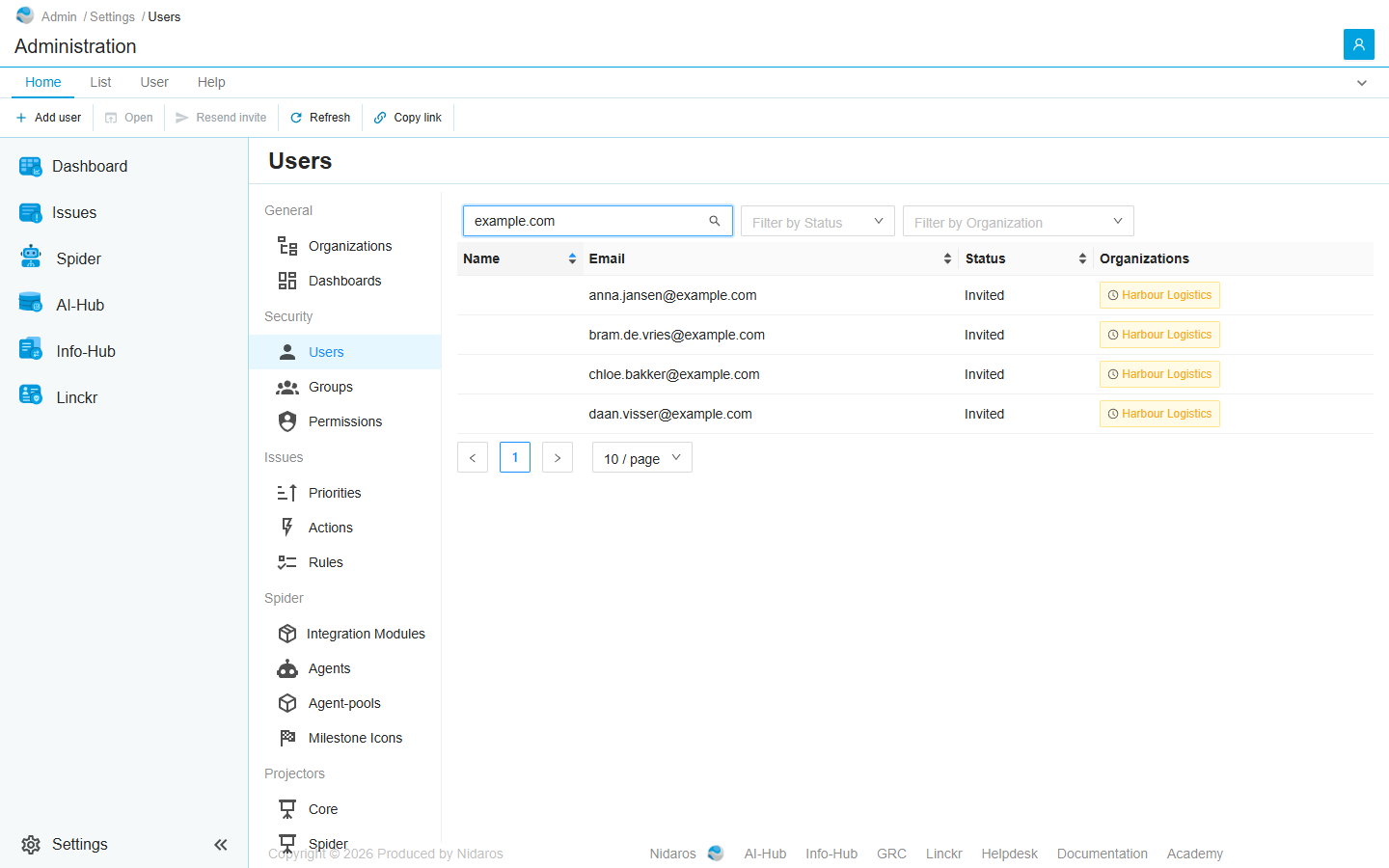
The list
| Column | Shows |
|---|---|
| Name | The user's name, once they have signed in. |
| Their e-mail address. | |
| Status | Invited until they accept their first invite, then Active. Deleted for a user who was deleted. |
| Organizations | The organizations they belong to, a tag each: green with a check once they accepted that organization's invite, orange with a clock while it is pending. Administration for a member of Administration. |
Type in Search by name or email to find a user, and use Filter by Status and Filter by Organization to narrow the list. Click Name, Email or Status to sort.
Opening a user depends on where they belong:
- A member of Administration opens on their page here: see User.
- A user of one organization opens on that organization's page of the user, inside the organization: see User.
- A user of several organizations asks first, in Select Organization: Select the organization in which you want to manage the user. Click one to open the user's page there.
Commands
| Tab | Group | Command | What it does | Disabled when |
|---|---|---|---|---|
| Home, List | New | Add user | Invites someone into Administration: see Add User. | |
| Home, List | Open | Open | Opens the selected user's page, as described above. | Nothing is selected. |
| List | Open | Open in new tab | Opens it in a new browser tab. | Nothing is selected, or the user belongs to several organizations (This item has no page of its own). |
| Home, User | Account | Resend invite | Sends the selected user's invite into Administration again. | Nothing is selected, or the user has no pending invite into Administration (Only a pending invite can be sent again). |
| Home, List | View | Refresh | Reads the list again. | |
| Home | Share | Copy link | Copies the link to the selected user, or to this page. |
Resend invite sends only an invite into Administration. To send an organization's invite again, open the user in that organization.
There is no Delete here: a user is deleted from an organization's Users page, which deletes the account from every organization, and needs Delete users.
Drawers and dialogs
Add User
One field: the e-mail address to invite (The user's email). Click Add, or Cancel. The user joins Administration as Invited, and gets an e-mail with an invite. What they may do in Administration is given on Permissions, to them or to a group they are in.
To invite someone into an organization, open the organization and use its Users page.
When the user can't be added, Spider doesn't say so: check the list afterwards.